Subcontractor Management: Where It Breaks Down
If you've ever managed a large construction project, you know subcontractor coordination can feel like herding cats. Scope mismatches, missed deadlines, and disputes over who fixes what often dominate your day. And the worst part? It's usually preventable.
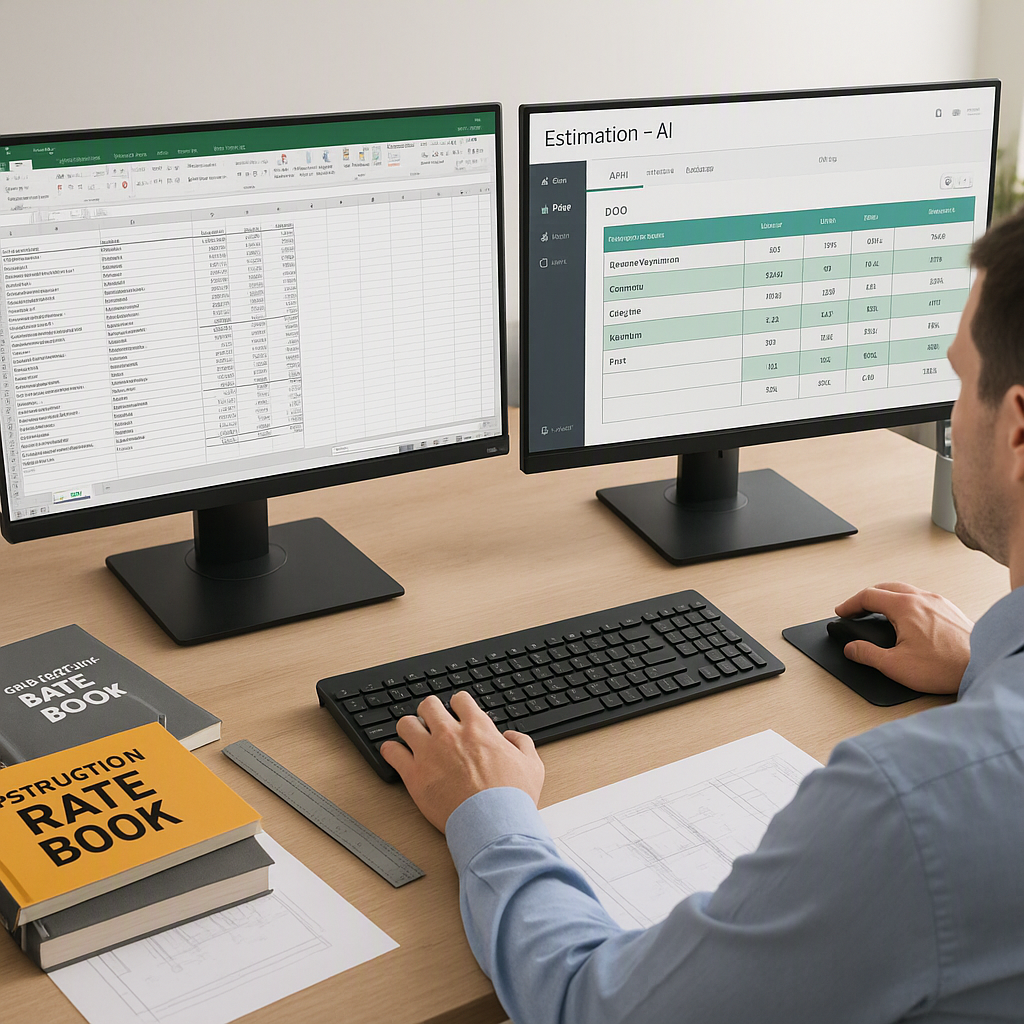
Most of us rely on piecemeal systems—manual spreadsheets, email chains, and disorganized PDF drawings. These methods can work, but only until they don't. When you're juggling 30+ subs on a project, one small error in a bid comparison or scope alignment can snowball into delays or blown margins.
We used to think this was just the cost of doing business. "Construction is messy," we'd say. But then we started noticing patterns. The same issues kept showing up, and the inefficiencies became impossible to ignore. Especially in subcontractor bid leveling, where hours of manual work still left room for errors.
The Turning Point: Bid Leveling Pain
It hit us during a mid-size GMP project. Seven subcontractor quotes for plumbing came in, each formatted differently—some lumped labor and materials together, others broke them out. Exclusions were buried in fine print, and the scopes overlapped in confusing ways.
Normalizing those bids manually took six hours. Six hours of flipping between PDFs, cross-checking scopes, and hoping we didn't miss a key exclusion. And that's just for one trade. Multiply that across plumbing, HVAC, and electrical, and you're burning days on something that should take minutes.
This wasn’t just our experience. A 2023 McKinsey report found that firms adopting digital tools for bid leveling cut manual errors by up to 15% and saved roughly 12 hours per project. Yet, most teams still rely on manual workflows.
Why Bid Leveling Is So Challenging
To expand on the problem:
-
Inconsistent Formats: Subcontractor bids come in all shapes and sizes—PDFs, Excel files, and even handwritten scans. Some subs are meticulous, breaking down every detail, while others provide lump-sum numbers with little context. Comparing apples to apples becomes nearly impossible without significant manual effort.
-
Hidden Exclusions: Exclusions buried in fine print are a ticking time bomb. Missing a single exclusion (e.g., "Trenching not included") can lead to costly change orders that erode your project margins.
-
Scope Overlap: Overlapping scopes between trades create disputes. For example, if both an electrician and plumber include permitting in their bids, you're paying twice—or worse, assuming it's covered when it's not.
By relying on manual methods, you’re gambling with your time, your budget, and your reputation.
Why Manual Systems Persist
Why do we stick with outdated methods? Three reasons:
-
Comfort with Status Quo: Many contractors think their Excel-based workflows are "good enough." They don’t see the hidden costs—missed bids, disputes, and burned-out staff.
-
Tool Overload: The software market is crowded. Choosing between Procore, Bluebeam, and Excel hybrids feels overwhelming. Which tool solves your specific problem without creating new ones?
-
Initial Learning Curve: Adopting new systems requires upfront time and effort, which feels risky when deadlines are tight. Training your team and adjusting workflows can feel like a distraction, even if it’s an investment in long-term efficiency.
But here’s the truth: sticking with manual systems isn’t saving you time or money. It’s costing you both.
The Fix: Practical PDF Tools for Bid Leveling
One of the most impactful changes we made was adopting tools that simplify bid leveling directly within PDFs. Platforms like EstimateNext combine AI-powered scope alignment with bid normalization, so you can:
- Upload all subcontractor quotes (PDFs, Excel, or scanned docs).
- Automatically extract scope details, exclusions, and pricing.
- Normalize bids by aligning scopes and flagging inconsistencies.
Step-by-Step Guide to Using Bid Leveling Tools
Here’s how it worked for a recent project:
-
Step 1: Upload Subcontractor Bids
Gather all the bids you’ve received for a specific trade. Upload them to the tool in their original format—whether they’re PDFs, Excel files, or even scanned documents. -
Step 2: Let the Tool Analyze the Data
The software scans the documents, extracts key details (e.g., labor costs, materials, and exclusions), and aligns them into a consistent format. This removes the need for manual data entry. -
Step 3: Review Scope Overlaps and Exclusions
The platform highlights discrepancies, overlaps, and missing details. For example, it might flag that one bid includes site preparation while another excludes it. -
Step 4: Finalize and Rank Bids
Once the data is normalized, you can rank the bids (e.g., by lowest price or best value) and make an informed decision.
Compare this to six hours of manual slogging, and the time savings are obvious. The kicker? The tool also flagged an exclusion we’d missed—saving us from an $8,000 change order later.
Comparison Table: Manual vs. AI-Powered Bid Leveling
| Aspect | Manual Process | AI-Powered Tools |
|---|---|---|
| Time Required | 6+ hours per trade | 30 minutes per trade |
| Error Risk | High (human oversight) | Low (automated checks) |
| Scope Normalization | Manual cross-referencing | Automated alignment |
| Handling Exclusions | Easy to miss | Automatically flagged |
| Usability | Labor-intensive | Intuitive and streamlined |
Beyond Bid Leveling: Accountability and Scope Clarity
Managing subs isn’t just about choosing the lowest bid. It’s about holding them accountable to their scope. That’s where detailed, real-time documentation comes in.
Here’s a common scenario: the painter finishes their work, but the HVAC team scuffs the walls while installing ducts. Who pays to fix it? Without clear documentation, this could spiral into a lengthy dispute.
With a collaborative PDF tool, you can:
- Log Evidence: Take timestamped photos of completed work.
- Track Responsibilities: Maintain signed scope documents for each trade.
- Resolve Disputes Quickly: Use clear documentation to assign costs fairly.
This isn’t just theoretical. On one project, we avoided a costly argument by providing timestamped evidence that the painter’s work was completed before the HVAC team arrived. Clear, indisputable documentation saved us weeks of back-and-forth.
Common Questions About Subcontractor Management Tools
Q: How much setup time does it take to implement these tools?
A: Minimal. Most platforms let you upload documents directly, with no need for extensive training. EstimateNext, for example, offers a free tier to try it risk-free.
Q: Can these tools handle non-standard formats?
A: Yes. Most tools support a variety of file types (PDFs, Excel, scans) and normalize them automatically.
Q: What if subs push back on scope alignment?
A: Clear documentation is your best defense. Tools that log every change and exclusion make it easier to resolve disputes fairly.
Q: Are these tools cost-effective for small contractors?
A: Absolutely. Many platforms offer scalable pricing, including free or low-cost tiers for small teams. The time savings alone often justify the investment.
Q: What happens if AI misinterprets a document?
A: Human oversight is still critical. These tools significantly reduce manual effort, but you should always review flagged items to ensure accuracy.
The ROI of Better Tools
Let’s talk numbers. According to EstimateNext’s own data, their tools save:
- 12 hours per bid leveling cycle.
- 40 hours on drawing takeoffs using AI markup.
- 50% more bids responded to by MEP subs, thanks to faster quote turnaround.
For a mid-size GC, that translates into thousands of dollars saved per project—and fewer headaches.
Ready to Stop Wasting Time?
If you’re tired of manual bid leveling and scope disputes, tools like EstimateNext can help. Start saving hours on every project today. Get started free →