Real-Time Equipment Tracking: A ₹50 Lakh Problem Contractors Ignore
It’s a hard truth: equipment underutilization bleeds money. For contractors juggling multiple sites, machines sitting idle or misallocated can cost upwards of ₹50 lakh annually. How do we know? We've seen it firsthand—and the numbers don’t lie.
The Problem with Manual Tracking
Imagine this scenario: a mid-size contractor is running 20 active projects. They’ve invested heavily in plant and machinery—excavators, loaders, cranes, and other critical equipment. But there’s no centralized system for tracking usage. Operators log hours on paper. Site managers manually allocate machines based on verbal requests. Finance teams struggle to calculate depreciation or justify procurement budgets.
The result?
- Machines sitting idle for weeks.
- Delays in projects because critical equipment wasn’t where it needed to be.
- Missed maintenance schedules, leading to breakdowns and costly downtime.
- Inaccurate cost allocation, making it impossible to know which projects are truly profitable.
A 2021 report by the Construction Equipment Management Association found that Indian contractors lose up to 15% of projected equipment ROI due to poor tracking systems. For a contractor managing ₹3 crore worth of equipment, that's ₹45 lakh down the drain annually.
Real-Life Example: A Project Gone Wrong
Take a contractor in Bengaluru who managed 15 active sites. Without a tracking system, they unknowingly rented additional machines for ₹10 lakh while 3 of their own excavators sat unused on another site. By the time they realized the error, the rental costs had already eaten into the project’s profit margins. This story isn’t unique—it’s the norm across the construction industry.
Why ERP Systems Fix This
Here’s where construction ERP (enterprise resource planning) solutions make a difference. Platforms like JobNext automate the entire equipment lifecycle—from procurement and utilization to maintenance and disposal. No spreadsheets, no guesswork, no chaos.
Let’s break it down:
1. Asset Lifecycle Management
An ERP tracks every piece of equipment from the moment you purchase it to the time you sell or scrap it. Want to know which site a specific crane is at? Done. Interested in comparing the cost of renting vs. buying new machinery? There’s a detailed report for that too.
Example: A contractor in Pune saved ₹8 lakh in rental costs within their first year of using an ERP by simply reallocating idle equipment between sites. The system flagged underutilized machines, enabling the team to act before renting more.
2. Real-Time Utilization Monitoring
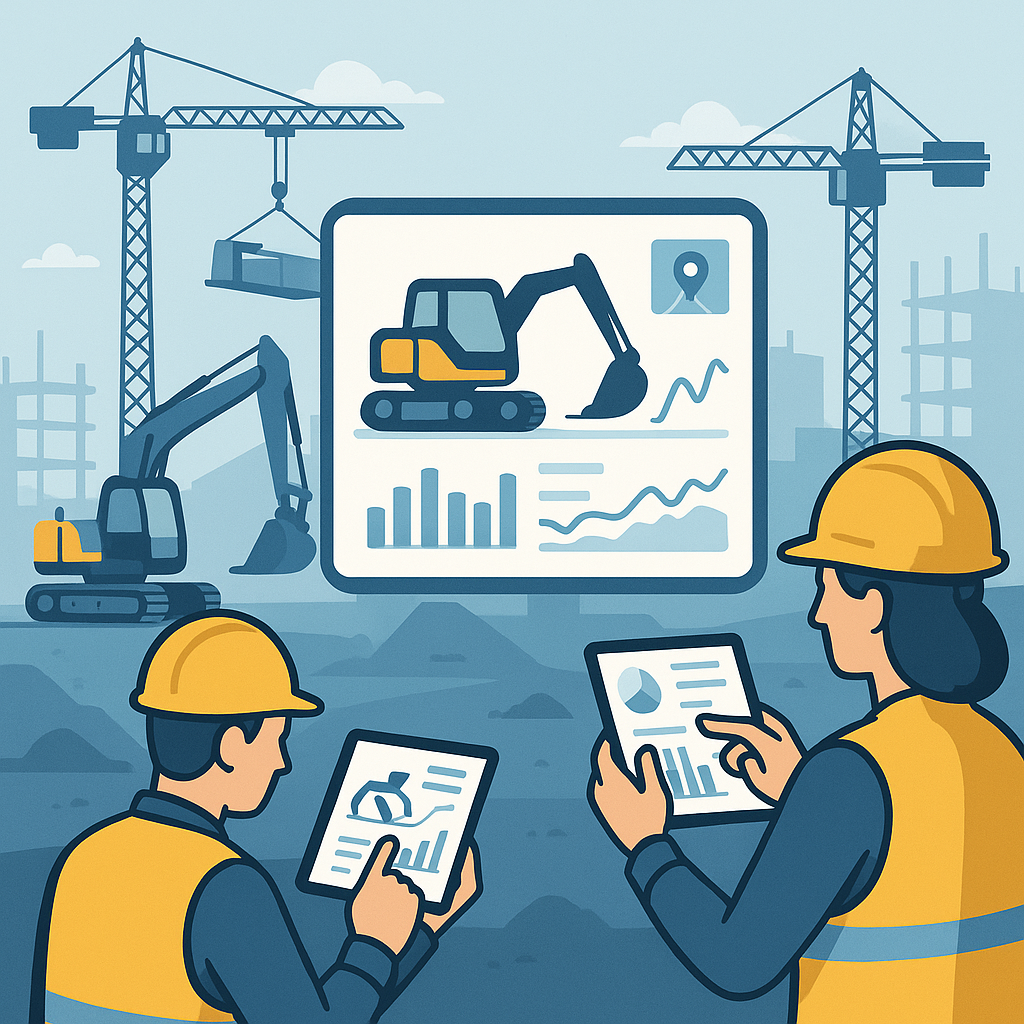
Most ERP platforms provide dashboards showing which machines are active, idle, or scheduled for maintenance. For contractors running multi-site operations, this visibility is invaluable.
Actionable Tip: Use GPS tracking to integrate location data with your ERP. Platforms like JobNext offer this feature, so you’ll know exactly where your equipment is and how often it’s being used.
3. Maintenance Scheduling
ERP systems send automated alerts for servicing intervals based on either usage hours or calendar dates. Say goodbye to reactive maintenance that costs more and delays projects.
Case Study: A contractor in Oman reduced downtime by 30% after implementing maintenance alerts. With machines serviced proactively, breakdowns became rare, saving them ₹12 lakh annually in repair costs.
4. Production Tracking
If your equipment is involved in production (e.g., batching plants or concrete mixers), ERP software calculates output versus input costs. This allows you to measure efficiency and identify bottlenecks.
Example: A Hyderabad-based contractor discovered that one of their concrete mixers had a 40% lower output compared to identical machines. The ERP flagged inefficiencies, leading to timely repairs and a 15% improvement in productivity.
The ROI of Real-Time Equipment Tracking
Let’s get practical. A contractor we worked with in Oman saved ₹50 lakh annually by switching to real-time ERP tracking. Here’s how:
- Reallocating idle machines: The ERP flagged underutilized equipment, which was promptly moved to active sites.
- Reducing rental costs: Machines already owned were used instead of renting additional ones.
- Proactive maintenance: Scheduled servicing minimized unplanned breakdowns, cutting repair costs significantly.
ROI Breakdown for a Small Contractor
Even contractors with smaller operations can benefit. Let’s do the math:
| Scenario | Cost Without ERP | Savings With ERP |
|---|---|---|
| Idle equipment (₹20 lakh fleet) | ₹3 lakh/year | ₹2 lakh saved |
| Rental costs | ₹6 lakh/year | ₹4 lakh saved |
| Maintenance | ₹5 lakh/year | ₹2 lakh saved |
| Total Annual Savings | N/A | ₹8 lakh |
How to Implement an ERP System
If you’re sold on the benefits of real-time equipment tracking, here’s how you can make the transition:
1. Assess Your Needs
- How many pieces of equipment do you manage?
- How often do you face delays or unexpected rental costs?
- Are you struggling with maintenance schedules?
2. Choose the Right Platform
Look for ERP software tailored for construction. Platforms like JobNext, Procore, and Oracle Primavera are excellent options. Compare features such as GPS integration, maintenance reminders, and user-friendly dashboards.
3. Train Your Team
ERP adoption fails without proper training. Allocate time for your team to learn the system, and prioritize tools with intuitive mobile apps for field teams.
4. Start Small
Begin with a pilot phase. Track a few critical pieces of equipment and expand as you see results.
Common Objections
“My team won’t adopt it.”
Fair concern. ERP implementation fails without buy-in. The solution? Choose user-friendly platforms. JobNext, for instance, allows operators to log usage via mobile apps and managers to access dashboards with minimal training.
“Can’t I just use spreadsheets?”
You could. But spreadsheets don’t send automated alerts, track depreciation, or integrate with billing systems. Plus, they’re prone to human error. A single typo can throw off your entire budget.
“Isn’t ERP too expensive?”
While ERP systems aren’t free, the ROI makes them worth it. Many platforms offer tiered pricing, so smaller contractors can start with basic features and scale up as needed.
FAQs
1. How much does an ERP system cost?
Costs vary widely. Entry-level solutions can start at ₹5,000/month, while enterprise-grade platforms may cost ₹50,000/month or more. Factor in setup and training costs as well.
2. How long does it take to see ROI?
Most contractors see noticeable savings within 6–12 months, particularly in reduced downtime and rental costs.
3. What data do I need to start?
You’ll need basic information: equipment types, purchase dates, usage hours, and maintenance history. Most ERPs help you import this data easily.
4. What happens if my team doesn’t use the system?
Adoption is key. Start with a small, motivated team and ensure the platform is easy to use. Provide ongoing training and incentives for consistent usage.
5. Can ERP integrate with my accounting software?
Yes. Most modern ERPs integrate with popular accounting tools like Tally, QuickBooks, and Zoho Books. This ensures seamless cost tracking and reporting.
Final Thoughts
Equipment underutilization isn’t just a logistics issue—it’s a profitability issue. Real-time ERP tracking fixes this by giving contractors visibility, control, and the ability to make smarter decisions. If you’re bleeding margins on machinery, it’s time to act.