Why Converting DSR Rates into a BOQ Is Challenging
If you’ve ever worked on CPWD tenders, you know the drill. The DSR (Delhi Schedule of Rates) is massive. Some PDFs are over 2,000 pages long. Flipping through them to match a single BOQ (Bill of Quantities) line item can take significant time. And that’s if you don’t make a mistake.
Here’s the problem: BOQs and the DSR don’t speak the same language. BOQs are project-specific, with customized descriptions, units, and quantities. The DSR, on the other hand, is standardized. Finding the exact match between the two is like finding a needle in a haystack.
The result? Time wasted on manual lookup, errors creeping into bids, and missed deadlines. It’s frustrating and totally avoidable.
The AI Fix: Rate Matching Simplified
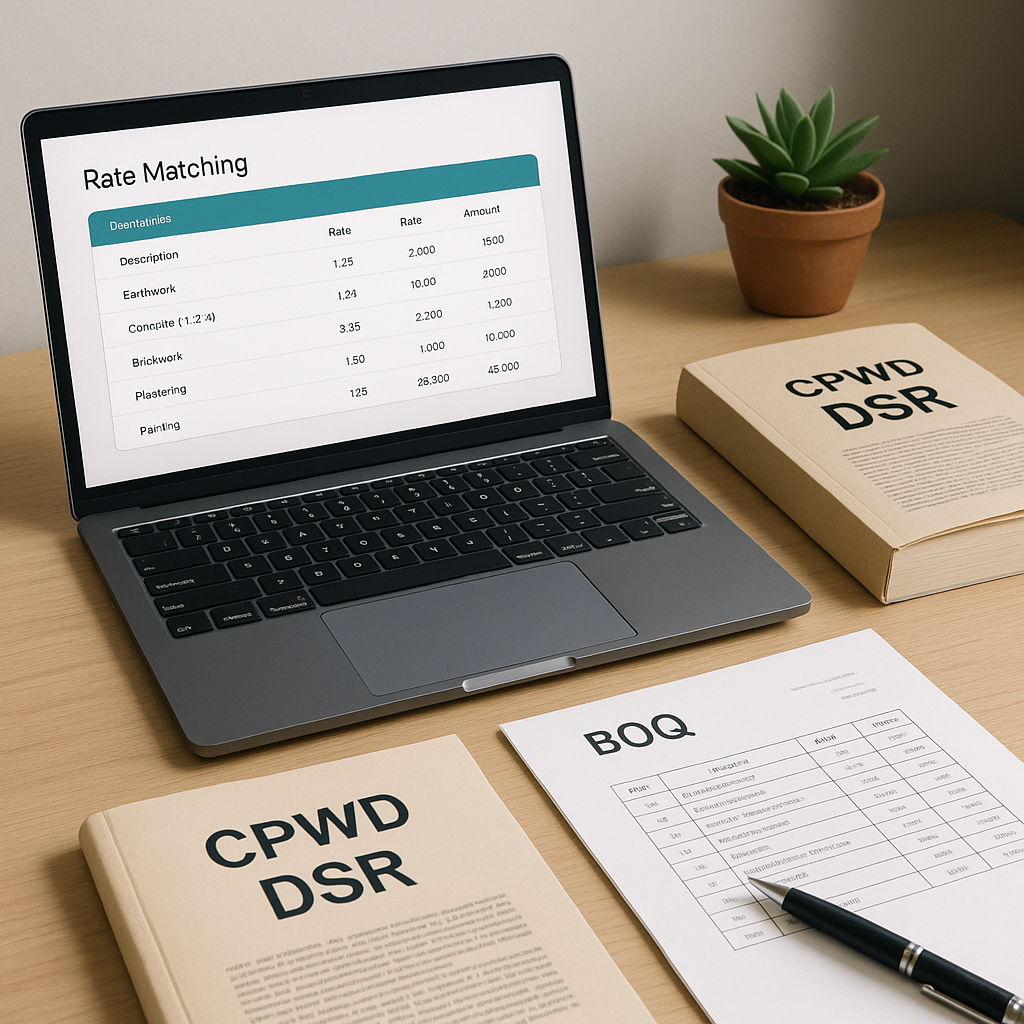
Now imagine this: you upload your BOQ to a tool, and within moments, every line item is matched to its corresponding DSR rate. AI-powered platforms make this possible.
How does it work? The tool uses semantic search to analyze your BOQ descriptions and units, then compares them against a database of DSR and state SOR items. It doesn’t just look for exact text matches (because let’s face it, BOQs rarely use DSR wording verbatim). Instead, it understands the intent behind the description. For example:
- BOQ Line Item: "200mm RCC slab, M25 grade, including shuttering"
- DSR Match: "RCC slab 200mm thick M25, including centering and shuttering"
The AI suggests the closest match, highlights any discrepancies, and even allows you to tweak rates if needed.
Step-by-Step: Turning DSR Rates into BOQ
Here’s the workflow if you’re using AI tools:
-
Upload Your BOQ File
Drag-and-drop your BOQ (Excel, CSV, or PDF) into the platform. The tool automatically parses the file, preserving its hierarchy and structure. -
AI Rate Matching
The tool scans each line item and maps it to the best-fit DSR rate. It even handles merged cells, non-standard units, and nested sections. -
Adjust Rates for Inflation
Using outdated rates? The platform applies compound inflation factors based on catalog year. For example, a 2021 DSR rate can be adjusted to current prices. -
Generate a Detailed Rate Analysis
Each rate is broken down into material, labor, and equipment costs, giving you full transparency. You can also edit overhead and profit percentages if needed. -
Export the Priced BOQ
Once finalized, export your BOQ in CPWD-compliant formats like Excel or PDF. The output includes a summary abstract and a detailed rate breakdown.
Why This Matters
Manual DSR-to-BOQ conversion isn’t just a time sink. It’s risky. A single mismatch can derail your bid, either by inflating costs or making it uncompetitive. AI tools standardize the process, reducing errors and improving efficiency.
Common Mistakes to Avoid
Even with AI, there are pitfalls to watch out for:
-
Ignoring Inflation Adjustments
Using raw DSR rates without updating for inflation can skew your estimates. Always apply current-year adjustments. -
Overlooking Unit Discrepancies
Ensure the units in your BOQ (e.g., m² vs. m³) match the DSR units. AI tools typically flag these inconsistencies, but double-checking never hurts. -
Relying Solely on Default Matches
AI suggestions are a starting point. Review each match to ensure it aligns with project specifics.
FAQ: DSR Rate Conversion
Q: Can AI tools handle custom BOQ formats?
Yes. Tools parse non-standard formats, including merged cells and nested hierarchies.
Q: What if the DSR doesn’t include my BOQ item?
You can upload custom catalogs or manually input rates for unmatched items. The AI learns from these edits over time.
Q: How accurate are the matches?
Matches depend on the quality of your BOQ descriptions. Tools use semantic search to improve accuracy, but clear, detailed descriptions always help.
Q: Can I adjust rates manually?
Absolutely. You can tweak rates, add overhead/profit margins, or replace default matches with your own.
Q: Does this work for state SORs too?
Yes. Platforms support multiple state SOR catalogs in addition to CPWD DSR.
Ready to Simplify Your BOQ Workflow?
If you’re tired of wasting time flipping through DSR PDFs, it’s time to rethink your workflow. AI tools automate rate matching, inflation adjustments, and BOQ exports, saving you time and reducing errors.