The Problem Churches Face
Managing a church facility isn’t straightforward. It’s not just about keeping the lights on. There are events, repairs, cleaning schedules, and dozens of volunteers to coordinate. If you’ve ever tried juggling wedding setups, Sunday services, and HVAC repairs, you know the chaos.
Most churches still rely on spreadsheets or printed calendars. It works… until it doesn’t. Double-booked spaces, overlooked maintenance, and misplaced inventory are all too common. And let’s be honest—it’s exhausting. These manual systems lack real-time updates, making it impossible to manage sudden changes or emergencies effectively.
Beyond the logistical headaches, poor facility management can lead to bigger problems. For example, delayed maintenance on a leaking roof can snowball into structural damage, costing tens of thousands of dollars. Or, a double-booked sanctuary can sour relationships with church members or groups that rely on the space for their events.
Why Facility Management Software Makes Sense
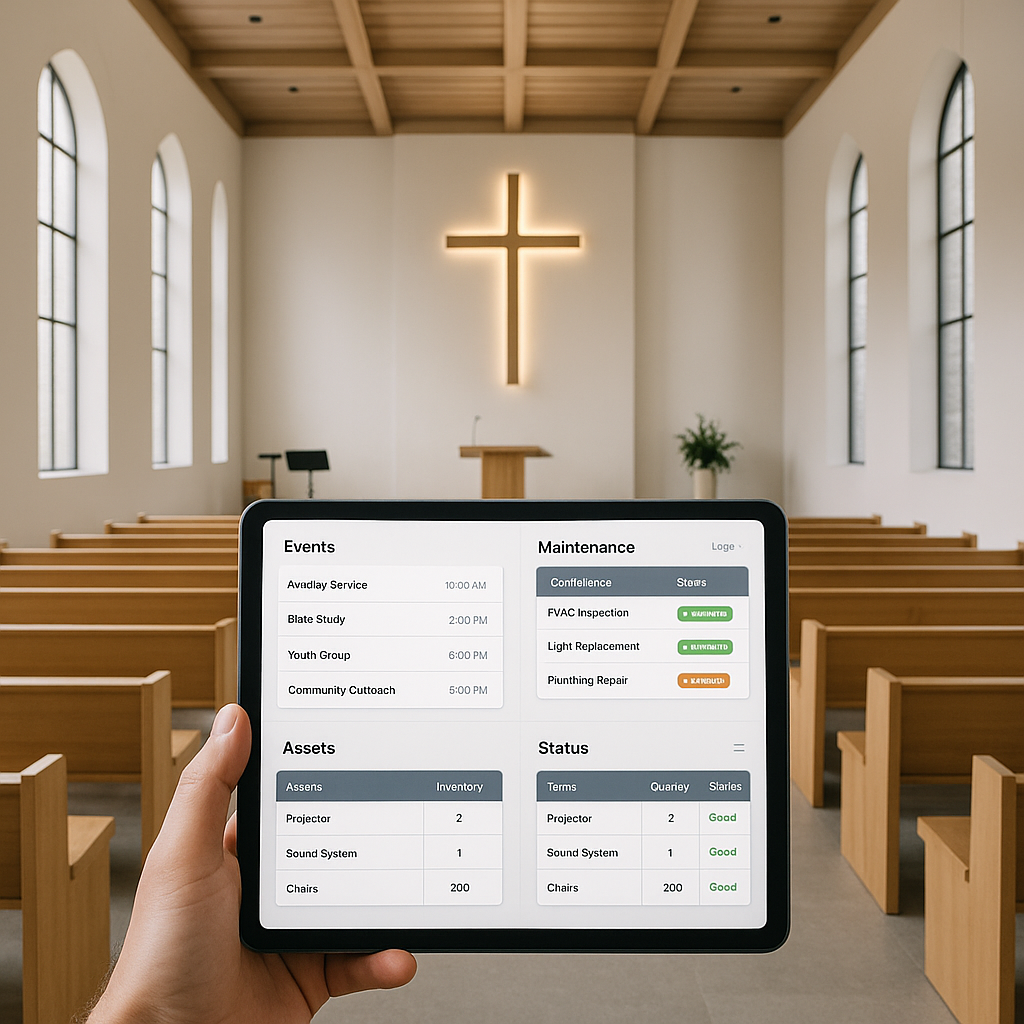
Facility management software for churches is designed to handle these exact problems. It centralizes everything—event calendars, maintenance logs, asset inventories—into one system. You can track who booked the meeting hall, flag the AC unit for repair, and see when the next deep cleaning is due, all in the same place.
But not all tools are created equal. Some are overly complex, designed for corporate buildings with massive budgets and specialized staff. Others are too basic, missing critical features like asset tracking or vendor coordination. Picking the right tool is half the battle.
So, what features should you look for in facility management software for your church?
- Event Scheduling: Ensure the software offers an intuitive calendar that prevents double bookings and supports recurring events.
- Maintenance Management: Look for tools that allow you to set up reminders for routine maintenance and track repair history.
- Asset Inventory: The ability to log, categorize, and track all your church’s resources, from AV equipment to furniture.
- Volunteer Coordination: Features that make it easier to assign tasks and communicate with your volunteers.
- Cost Transparency: Choose software with clear pricing and no hidden fees. Platforms with tiered pricing are a great fit for churches of all sizes and budgets.
Event Scheduling Without Headaches
Churches run on events—services, weddings, funerals, community outreach programs. Without a proper scheduling system, it’s easy for things to fall apart. Imagine this: a wedding is booked in the sanctuary, but the youth group also planned their meeting there at the same time. Cue frustration.
Facility management software prevents these clashes. Tools like event scheduling dashboards allow you to reserve spaces with one click, avoid conflicts, and even set recurring bookings for weekly Bible studies or choir rehearsals. Many tools also let you categorize events, so you can filter the calendar by type (e.g., Sunday services, weddings, community meetings).
For example, the software can allow different teams to request facilities or resources, which the admin can approve or decline based on real-time availability. Some platforms even send automated reminders to event organizers and volunteers, ensuring everyone is on the same page.
Maintenance Tracking Made Simple
Church buildings age, and maintenance is inevitable. Leaking roofs, faulty sound systems, burned-out projectors—someone needs to keep track. But in many churches, maintenance logs are either non-existent or buried in someone’s desk drawer.
A good facility management tool includes asset maintenance tracking. You can:
- Assign tasks to staff or volunteers.
- Set reminders for regular maintenance tasks, like HVAC servicing or fire alarm testing.
- Keep a history of past repairs for each asset, which can be critical for budgeting and understanding long-term costs.
- Integrate vendor contact lists for quick access when professional help is needed.
For example, if your software flags the HVAC system for repair, it can automatically notify the designated service technician and even generate a work order. This not only saves time but also ensures accountability.
Asset Management for Churches
Churches have a lot of assets—pews, musical instruments, projectors, and furniture—spread across multiple rooms. Tracking what you own, where it’s located, and its condition is critical. Without a proper system, things disappear (or worse, get damaged).
Modern facility management software includes asset inventories. You can:
- Tag items with unique identifiers (e.g., barcodes or QR codes).
- Track usage patterns to identify wear and tear.
- Schedule regular inspections to ensure items are in good condition.
For instance, a church might tag their sound equipment and use the software to track which microphones or speakers need repairs. This prevents last-minute scrambles when preparing for major events like holiday services or weddings.
Integrating Volunteers and Staff
Church operations rely heavily on volunteers. But coordinating dozens of people across maintenance tasks, events, and cleaning schedules can feel like herding cats. Without a system, communication breakdowns happen.
Many facility management tools include volunteer management features, such as:
- Assigning specific tasks to individuals or teams.
- Tracking progress to ensure tasks are completed.
- Sending automated reminders or updates to volunteers.
This creates clarity and accountability. Volunteers know what’s expected of them, and church staff can focus on big-picture planning instead of micromanaging.
The ROI of Using Software
You might be thinking, “Why spend on software when we’ve managed fine so far?” Here’s the math:
- Time saved: Automating event scheduling and maintenance can save hours every week. No more chasing down volunteers or double-checking bookings.
- Fewer costly mistakes: Catching issues early (like a leaking roof) prevents bigger expenses later.
- Improved community experience: A well-run facility creates a welcoming space for members and visitors.
To put it simply, the right software pays for itself by reducing errors, saving time, and improving the overall functioning of your church.
Common Mistakes to Avoid
- Choosing a one-size-fits-all tool: Many facility management platforms are designed for corporate or commercial use. Churches need tools tailored to their unique operations.
- Ignoring training: Even the best software fails if your team doesn’t know how to use it. Invest time in onboarding.
- Overlooking integration: Your facility management tool should work with other software you use, like accounting systems or communication apps.
- Not involving volunteers: Volunteers are often the backbone of church operations. Make sure they are included in the implementation process and trained to use the software.
FAQ
Q: Can facility management software handle multiple buildings? A: Yes, most tools—including platforms like EstimateNext—can manage assets and schedules across multiple locations. This is especially useful for churches with satellite campuses or separate buildings for different ministries.
Q: Is this software affordable for small churches? A: Many platforms offer tiered pricing. For example, EstimateNext has plans starting at $39/month, making it accessible for smaller organizations. Some tools also offer discounts for non-profits and faith-based organizations.
Q: How secure is the data? A: Reputable tools ensure data security with features like encrypted backups, user permissions, and multi-factor authentication. Always verify a tool’s security measures before committing.
Q: Do we need to hire someone to manage the software? A: Not necessarily. Many platforms are designed with user-friendly interfaces, so even those with minimal tech experience can use them. That said, assigning a point person to oversee the system ensures it’s used consistently and effectively.
Q: Can we customize the software for our church’s needs? A: Yes, most facility management tools allow some level of customization, whether it’s adding specific fields for asset tracking or creating custom event categories. Check with the software provider to see what’s possible.
Decision Framework for Choosing a Facility Management Tool
| Feature | Must-Have? | Nice-to-Have? |
|---|---|---|
| Event scheduling | ✓ | |
| Maintenance tracking | ✓ | |
| Asset inventory | ✓ | |
| Volunteer coordination | ✓ | |
| Vendor management | ✓ | |
| Mobile accessibility | ✓ | |
| Integration with other tools | ✓ |
Call to Action
If managing your church’s facilities feels overwhelming, it’s time for a smarter approach. Tools like EstimateNext simplify asset tracking, maintenance, and scheduling so you can focus on what matters most: your congregation. Get started free →